B01GUQL4JS
Code: 4969887593462
Brand: Sanwa Supply
Specification: SW-KVM4UP
Product size: Height 4.2, Width 20, Depth 7
About this product
Supported display: Multi-scan display with mini D-sub (HD) 15-pin connector
Supported resolution: Displays up to 2048 x 1536 dots. (Supports DDC2B)
Switching method: Hotkey switching, auto-scan switching, main body button switching
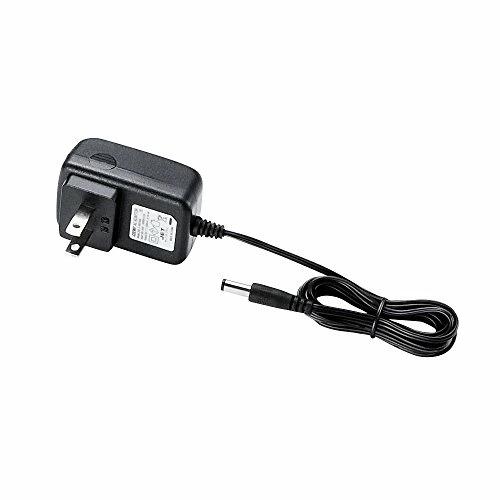
Power: AC adapter (DC 5V 1A)
Power consumption: 250mA (maximum)
Operating temperature and humidity: 0~50°C, humidity below 80% (no condensation)
Storage temperature and humidity: -20~60°C, humidity below 80% (no condensation)
For detailed product support, please check the Sanwa Supply homepage
› See more Current rating: 1 Ampere
Brand: Sanwa Supply
Product dimensions (L x W x H): 7 x 20 x 4.2 cm
Number of units: 1.0 piece
Supported display: Multi-scan display with mini D-sub (HD) 15-pin connector
Supported resolution: Displays up to 2048 x 1536 dots. (Supports DDC2B)
Switching method: Hotkey switching, auto-scan switching, main body button switching
Power: AC adapter (DC 5V 1A)
Power consumption: 250mA (maximum)
Operating temperature and humidity: 0~50°C, humidity below 80% (no condensation)
Storage temperature and humidity: -20~60°C, humidity below 80% (no condensation)
For detailed product support, please check the Sanwa Supply homepage
› See more
Shipping size: Height 10.1, Width 28.5, Depth 17.6
Shipping weight: 1618
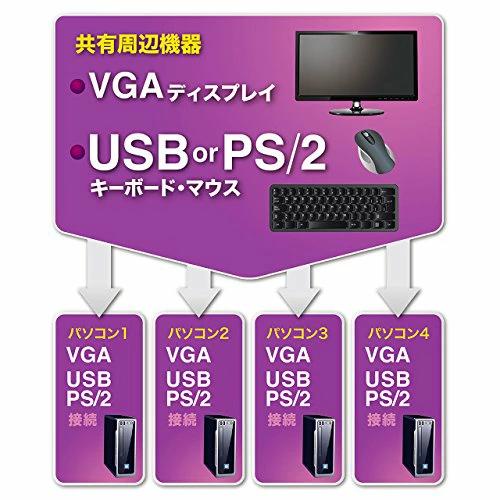
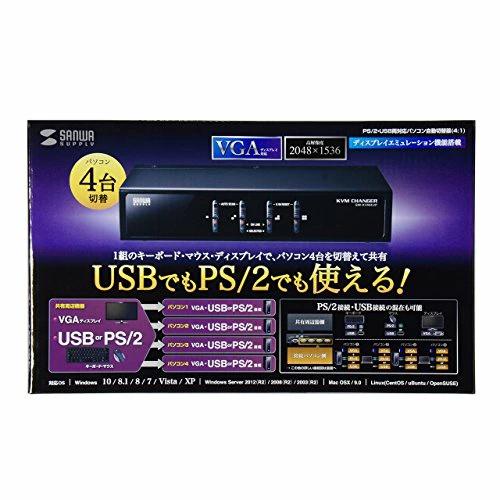
Using one console (keyboard, mouse, display), you can switch and operate up to 4 computers. Connection to computers can be via PS/2 or USB. It is possible to connect a mix of PS/2 and USB computers.
Keyboard and mouse support dual interfaces, compatible with both PS/2 and USB connections. Mice can connect via USB, keyboards via PS/2, etc.
Equipped with keyboard port emulation function. Avoids boot errors when the KVM switches to any port during computer startup.
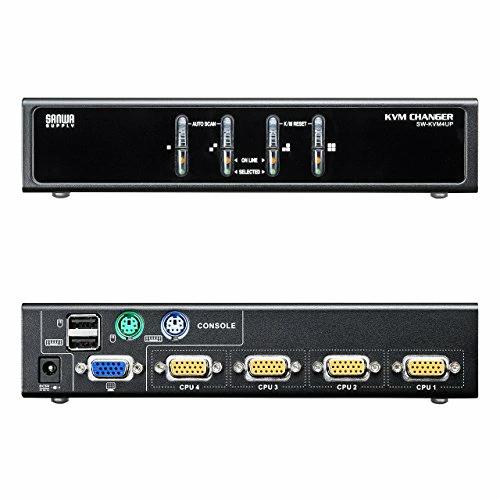
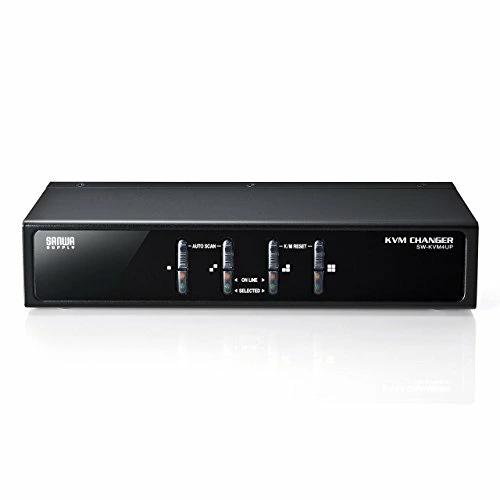
Switching methods include front panel button switching and hotkey switching via key input.
Supports high resolution display up to 2048 x 1536 dots.
Features auto-scan mode that automatically switches ports at set intervals. Ideal for checking computer operation status.
Supports hot-plugging, so there is no need to turn off the switch when adding or removing computers, making maintenance easy.
Uses an all-in-one connector that consolidates signals for keyboard, mouse, and display. Easy to connect and neat in appearance. Please note
This product can operate solely with power supplied from the PS/2 keyboard port or USB port, but connecting an AC adapter is recommended for stable operation.
It does not guarantee operation of all computers, keyboards, and mice.
For special buttons and function keys that require driver installation on keyboards and mice, operation may not be possible via this switch. 41 One-touch resume/suspend function is not supported.
One-touch resume/suspend function is not supported.
Operation is not supported with keyboards that have N-key rollover functions, such as gaming keyboards. If you want to extend or replace the connection cable between the switch and the computer, please purchase the cables listed below separately.
Exclusive connection cables between switch and computer (for USB connection)
SW-KLU180 Computer auto-switcher cable (1.8m)
SW-KLU300 Computer auto-switcher cable (3.0m)
Interface: On the computer side
All-in-one connector / SPHD15pin female 4
VGA / keyboard / mouse signal lines integrated
On the console side
Keyboard: Mini DIN 6-pin female 1, USB A female 1
Mouse: Mini DIN 6-pin female 1, USB A female 1
Display: Mini D-sub (HD) 15-pin female 1
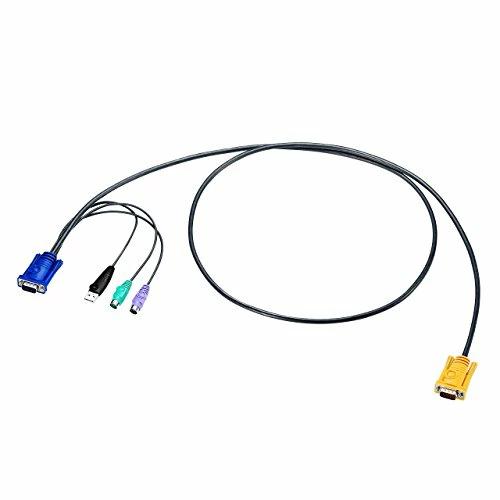
Included cables for computers: On the computer side
Keyboard: Mini DIN 6-pin male 1
Mouse: Mini DIN 6-pin male 1
Keyboard and mouse: USB A male 1
Display: Mini D-sub (HD) 15-pin male 1
On the switch side
All-in-one connector / SPHD15pin male 1
VGA / USB PS/2 signal lines integrated
Switching method: Hotkey switching, auto-scan switching, main body button switching
Power: AC adapter (DC 5V 1A)
Power consumption: 250mA (maximum)
Operating temperature and humidity: Temperature 0~50°C, humidity below 80% (no condensation)
Storage temperature and humidity: Temperature -20~60°C, humidity below 80% (no condensation)
Size: W200 D70 H42mm
Accessories: Computer connection cables (1.8m, 1.2m), AC adapter (DC 5V 1A), instruction manual, warranty card, manufacturer’s explanation
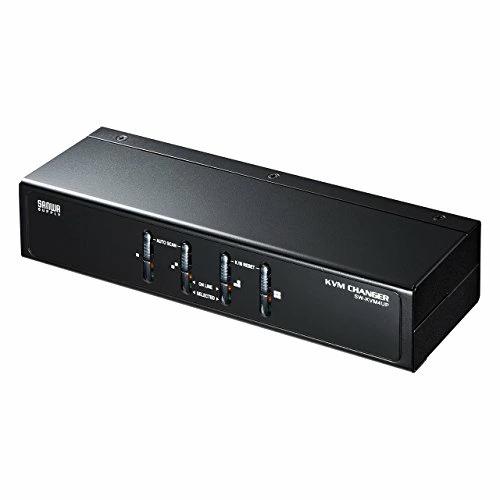
Share and switch keyboard, mouse, and display among 4 computers using one set
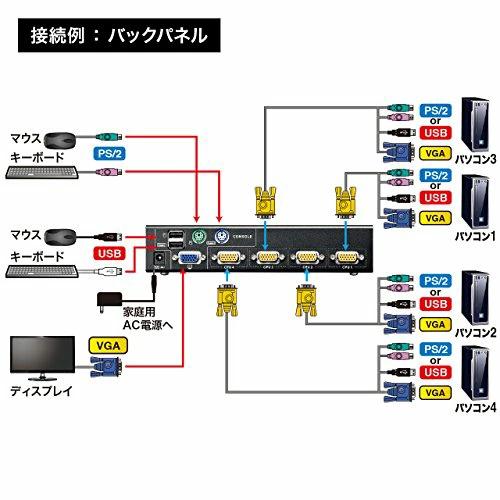
Connection to computers can be via PS/2 or USB. It is possible to connect a mix of PS/2 and USB computers.
Keyboard and mouse support dual interfaces, compatible with both PS/2 and USB connections. Mice can connect via USB, keyboards via PS/2, etc.
Example of connection
Equipped with keyboard port emulation function. Avoids boot errors when the KVM switches to any port during computer startup.
Uses an all-in-one connector that consolidates signals for keyboard, mouse, and display. Easy to connect and neat in appearance.
Switching can be done via front panel buttons or hotkeys.
Supports hot-plugging, so there is no need to turn off the switch when adding or removing computers, making maintenance easy.
Product package
| Product # |
202502262010004969887593462 |