Special: B0DF7MM3BZ
Code: 4549292237771
Brand: Canon
Standard: PIXUSTS8830WH
Product Color: White
Size Information: Normal
Product Size: Height 14.2, Width 37.2, Depth 34.5
About this product
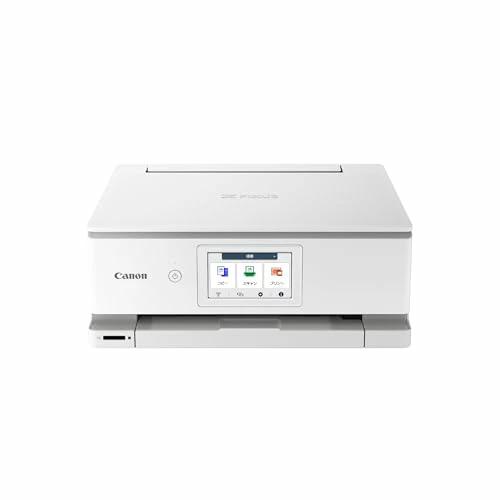
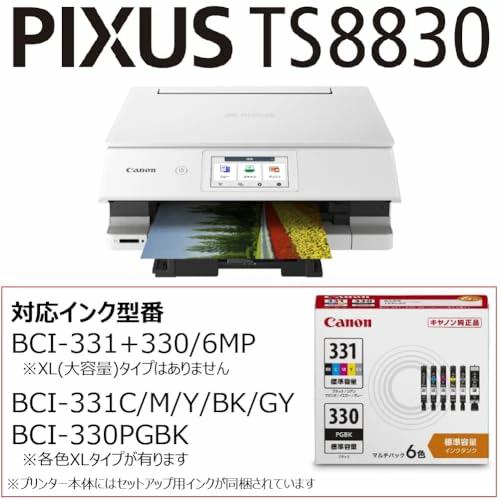
Product Features: Selectable body colors (White, Black), 6-color inks for high-quality and beautiful printing of photos taken with smartphones and documents, model equipped with new copy functions: Erase Color Copy and Booklet Copy.
Functions: Print, Copy, Scan, Disc Label compatible
Maximum Paper Size: A4 / Number of Colors: 6 colors (Dye/Pigment Hybrid Ink) / Photo Print Speed (L size): Approx. 10 seconds
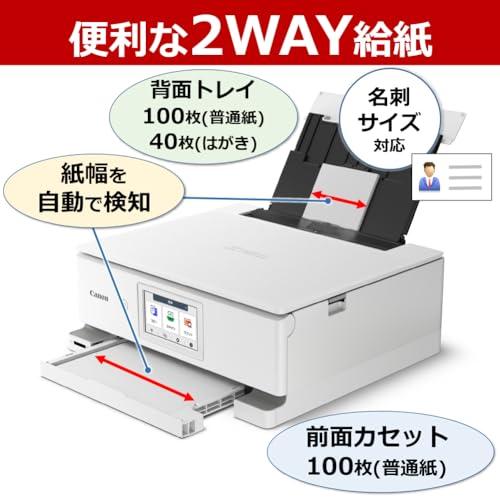
Paper Feed: 2-way paper feed, Rear Tray (max. 100 sheets of A4 plain paper) & Front Cassette (max. 100 sheets of A4 plain paper)
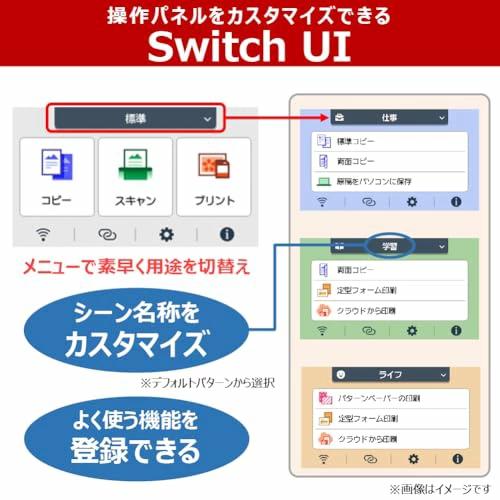
Operation/Other: 4.3-inch color touch LCD, Switch UI, 1-push copy, Auto duplex printing, USB, Wireless LAN
› See more Brand: Canon
Connectivity Technology: Wi-Fi
Printing Technology: Inkjet
Features: Network Ready, Auto Duplex
Color: White
Model Name: PIXUS
Printer Output: Color
Max Print Speed (Color): 10 pages/minute
Max Print Speed (Monochrome): 15 pages/minute
Product Dimensions: 34.5 Depth x 37.2 Width x 14.2 Height cm
About this product
Product Features: Selectable body colors (White, Black), 6-color inks for high-quality and beautiful printing of photos taken with smartphones and documents, model equipped with new copy functions: Erase Color Copy and Booklet Copy.
Functions: Print, Copy, Scan, Disc Label compatible
Maximum Paper Size: A4 / Number of Colors: 6 colors (Dye/Pigment Hybrid Ink) / Photo Print Speed (L size): Approx. 10 seconds
Paper Feed: 2-way paper feed, Rear Tray (max. 100 sheets of A4 plain paper) & Front Cassette (max. 100 sheets of A4 plain paper)
Operation/Other: 4.3-inch color touch LCD, Switch UI, 1-push copy, Auto duplex printing, USB, Wireless LAN
› See more
Shipping Size: Height 50.2, Width 44.8, Depth 22.1
Shipping Weight: 8600
Selectable body colors (White, Black), 6-color inks for high-quality and beautiful printing of photos taken with smartphones and documents. If you're unsure, choose this model. Description by manufacturer.
Canon Inkjet Multifunction Printer PIXUS TS8830 Function Introduction
Vivid photos and sharp text. For a high-quality, high-performance printer, the high-spec model PIXUSTS8830 is recommended.
PIXUS TS8830 Recommended Points
Click to play video
TS8830 Recommended Points Video presented by Product Advisor Hikaru Sonoda
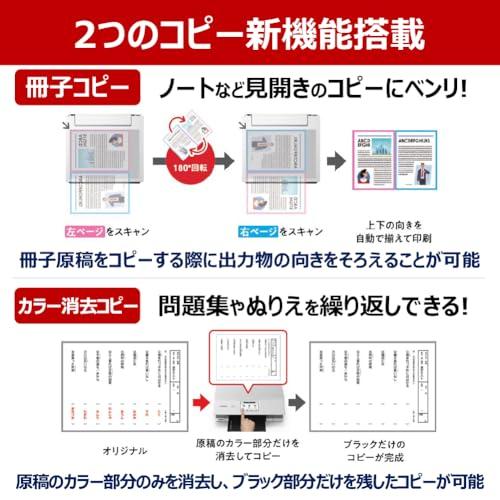
New Function: Erase Color Copy
Click to play video
Allows copying by erasing only the color parts of the original and leaving only the black parts. Convenient for repeated learning with workbooks, coloring books, etc.
New Function: Booklet Copy
Click to play video
When opening a booklet and copying page by page, it can copy while aligning the orientation of the output, which normally ends up upside down.
Introduction of Main Features
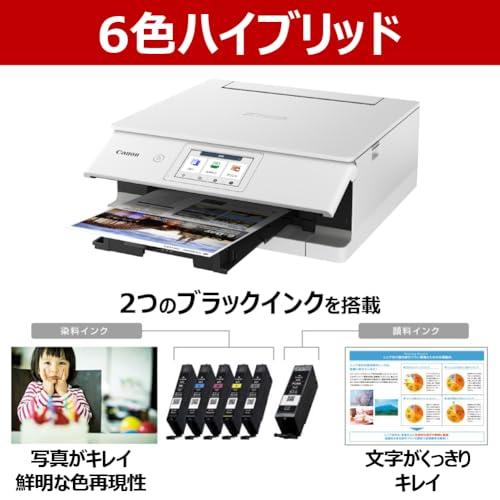
Vivid photos and sharp text "6-color Hybrid"
Equipped with a 6-color ink tank system featuring dye inks strong for photos and pigment ink strong for text. The black pigment ink has high density and contrast, making even small text sharp and resistant to bleeding. Furthermore, the new print system optimizes image stability across all gradations, achieving beautiful prints. By adopting pigment black ink strong for text, it produces high contrast with deep blacks, finishing even small characters and ruled lines sharply. It excels in address printing for postcards and envelopes, as well as reproducing the brush strokes of calligraphy.
Connection completed just by scanning a QR code "QR Code Direct Connection"
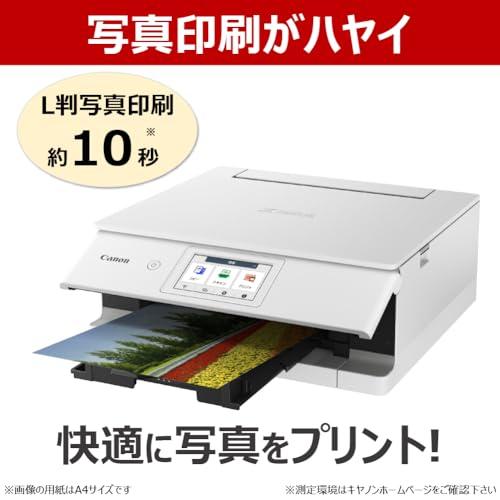
Displays a QR code for direct connection on the printer's LCD screen. Connection setup is completed just by scanning it, without entering an SSID or password. Furthermore, it achieves a printing speed of approximately 10 seconds*1 for L-size photos. It realizes further increases in photo printing speed without compromising print quality, allowing for more comfortable photo printing. *1 Please check the Canon website for the measurement environment.
Enjoy various printing from your smartphone "Smartphone Printing at Home"
Not only photos from your smartphone, but various other things can be printed. There are many ways to enjoy it depending on how you use it.
By using the free app "Canon PRINT," you can directly print not only smartphone photos but also documents. You can also save scanned images to your smartphone or print data from the cloud. The interface has become easier to see, further improving operability. It also includes a "Smartphone Auto Photo Fix" function to reduce failed prints when printing from a smartphone.
| Product # |
202506210722474549292237771 |
What is ZenPlus?
ZenPlus is an online shopping platform connecting Japan with the rest of the world. We're part of the ZenGroup, Inc. umbrella in Osaka, Japan.
Are items authentic?
Our sellers' agreement fully compels all stores to list only authentic items. We help you buy exclusive and authentic items from Japan, online!
Do you ship to my country?
We ship to all countries where Japan Post air freight services and international couriers currently operate. We don't use surface mail.
How long does shipping take?
Domestic shipments generally reach our warehouse in a few days, but may in certain specific cases take a week or more. International shipments can take anywhere from several days to several weeks to reach you after leaving our warehouse, depending on if you choose Standard or Express shipping.
Please contact our support team from the Questions section on your account page if you have any questions about the timing of your parcel.
How much is shipping?
Shipping costs depend on the size, weight, and destination of your parcel. We provide shipping costs for your order at checkout.
Will I be charged a customs (import) fee?
It depends on your country and its customs regulations. Our service does not cover duties and import taxes — in general, if the customs office in your country applies charges to your package, you are required to pay them.