
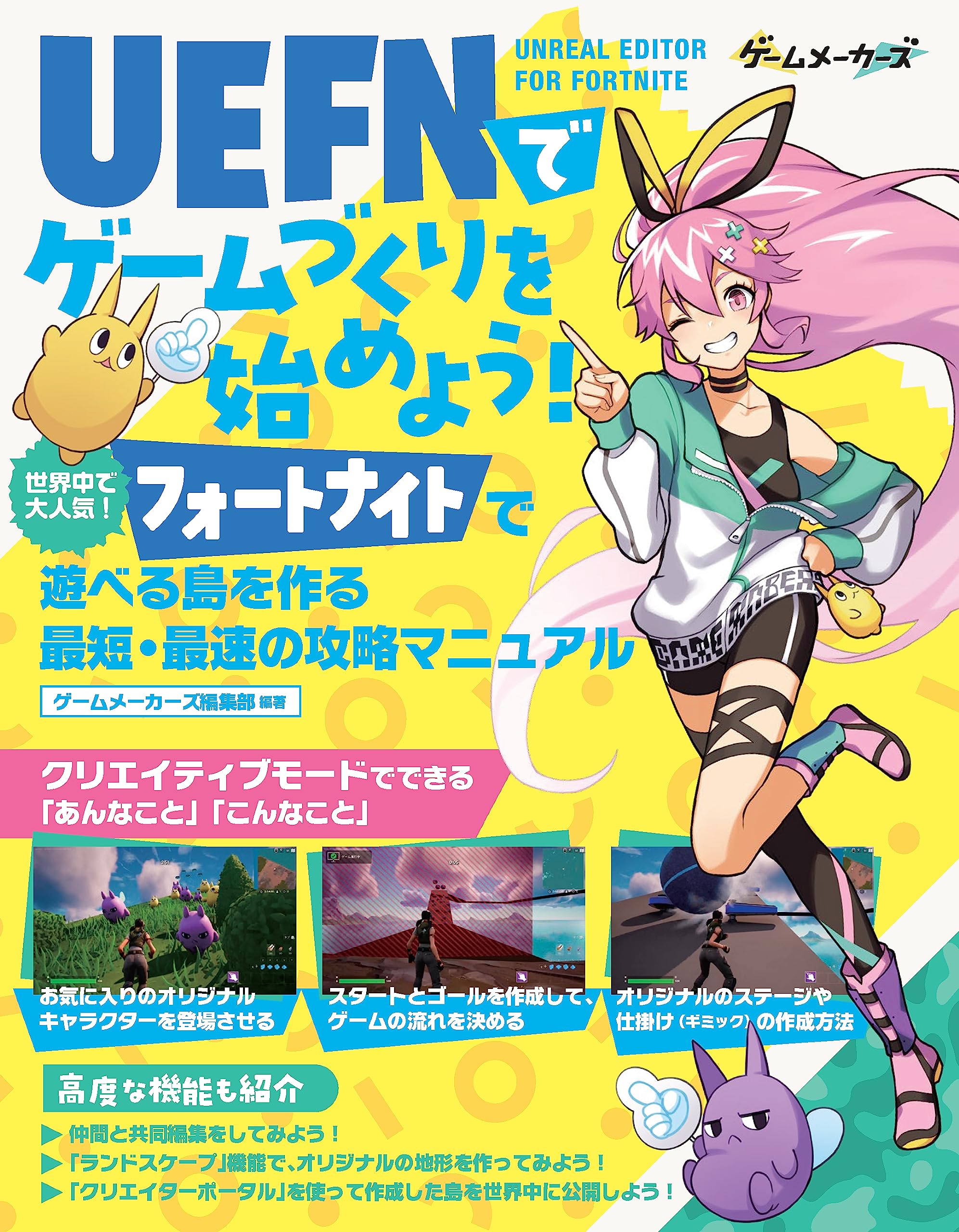
Usually ships within 1-5 business days ≪New, Unopened Item≫: A global hit! The fastest and quickest guide to creating islands for "Fortnite." "This and That" you can do in Creative Mode. - Introduces UEFN from acquisition to installation and basic operations. - How to create original stages and devices (gimmicks). - Create start and goal points to determine game flow. - Feature your favorite original characters. Advanced features also introduced. - Let's co-edit with friends! - Let's create original terrain with the "Landscape" feature! - Let's publish created islands to the world using "Creator Portal"! Table of Contents STEP 0: Fortnite's dedicated game development tool "UEFN" 0-1: What is "UEFN," which allows you to create games in Fortnite? 0-2: What can you do in "Creative" mode? 0-3: What's newly possible with "UEFN"? 0-4: "Verse," a programming language that enables more advanced implementation. 0-5: Let's try game creation with UEFN. STEP 1: Let's get UEFN. 1-1: Create an Epic Games account. 1-2: Install Epic Games Launcher. 1-3: Get Fortnite and UEFN. STEP 2: Learn the basic usage of UEFN. 2-1: Launch UEFN and try creating a project. 2-2: Launch Fortnite from UEFN. 2-3: Learn basic editor operations. STEP 3: Let's create an original obstacle course. 3-1: Place objects from the "Content Drawer." 3-2: Understand how to select, edit, and delete objects. 3-3: Create a linear obstacle course. STEP 4: Let's create game mechanics by making devices. 4-1: Create a mechanism that results in death if you go off course. 4-2: Create a respawn mechanism. 4-3: Incorporate a rolling ball gimmick using devices. STEP 5: Let's create start and goal mechanisms. 5-1: Create a countdown mechanism at the start. 5-2: Create a goal mechanism. STEP 6: Let's feature original characters. 6-1: Download assets from Fab. 6-2: Import meshes for Keybo and Murusuke. 6-3: Create gimmicks using imported assets. CHALLENGE: Let's try more advanced game creation. 1: Real-time co-editing of UEFN projects with team members. 2: Create original terrain using "Landscape." 3: Publish islands created with UEFN to the world. Appendix: Appendix 1: List of devices available in UEFN. 2: List of item-type devices available in UEFN.
| Product # | 4862465676 |
|---|---|
| Weight | 470 g |
| Product package size | 23 x 18 x 2 cm |
You don't need to be in Japan to shop here. Sign up for a free account on ZenPlus now and enjoy buying and shipping to over a hundred countries, directly from Japanese online stores. You can ship your items internationally through JP Post (EMS, Airmail), UPS, DHL, FedEx, and other services. Get all the hottest items from Japan such as anime figures, Nendoroids, Nintendo and other video games, Hello Kitty and other kawaii plushies, fishing tackle, Japanese street fashion, Seiko and other watches from Japan, ramen and other Japanese foods, idol merchandise, and much, much more!
We work directly with Japanese shops registered with ZenPlus, so all internal processes are faster and more efficient - the result is a swift and affordable service, ready for you when you need it most. You have instant access to over 1,000 stores in Japan with just one click! Shop just as if you were in Japan, without spending a fortune. We'll get you the best deal possible from a vast collection of items from Japan. Join the ranks of people who prefer ZenPlus as their Japanese online marketplace.
We protect you, the buyer. Communication can be one of the biggest barriers when buying from Japan online, but it doesn't have to be that way. With ZenPlus, you are protected from many of the risks of international e-commerce: We'll take care of any questions, claims, and requests for the seller that you might have. We can provide a full refund if an item is not genuine, and a partial refund if it's not as promised. Feel free to ask us for more info about any of the items or shops on ZenPlus!