特殊:B096TK8QLQ
コード:4549550211154
ブランド:ELECOM
規格:ESD-EPK0500GBK
商品カラー: Black
サイズ情報: 500GB
商品重量: 11g
この商品について
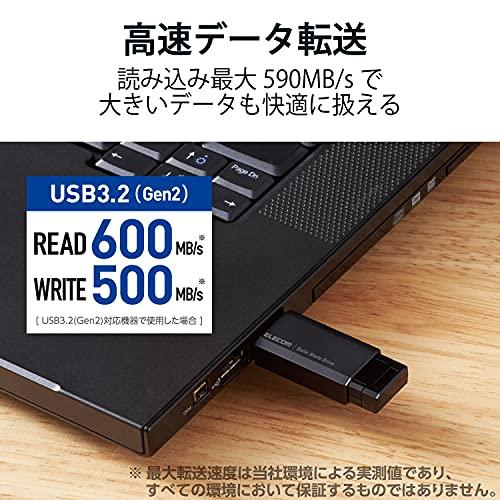
Reads at a maximum of 600MB/s and writes at a maximum of 500MB/s, achieving high-speed data transfer with USB 3.2 (Gen2). To use with USB 3.2 (Gen2), the device must support USB 3.2 (Gen2).
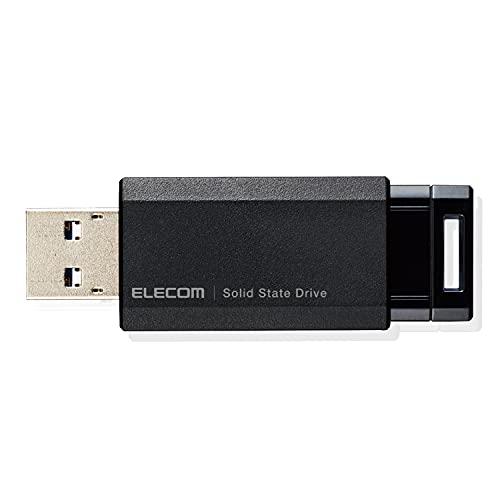
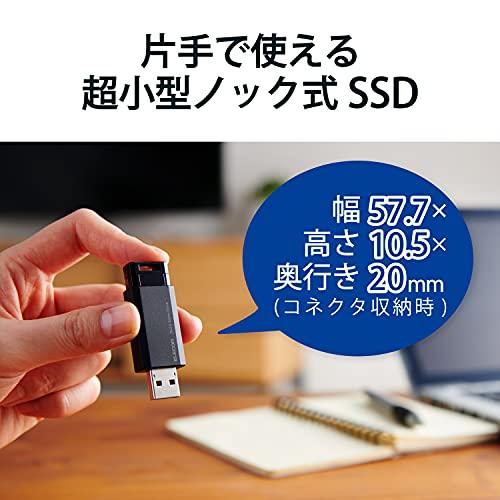
Weighing approximately 11g, with dimensions of 57.7mm width, 20mm depth, and 10.5mm height (when the connector is stored), it is an extremely small size that is convenient for portability and storage, comparable to a USB memory.
It is backward compatible with USB 3.1 (Gen2, Gen1), USB 3.0, and USB 2.0, and can be connected directly.
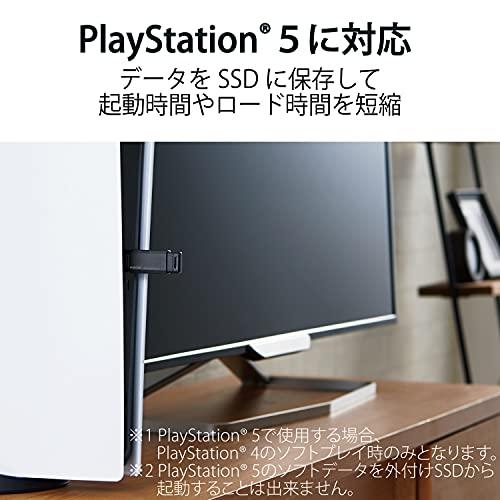
Connecting to PlayStation(R) 4, PlayStation(R) 4 Pro, or PlayStation(R) 5 and saving game data to the external SSD reduces game startup and save data load times, enabling more comfortable gameplay. When used with PlayStation(R) 5, it is only for PlayStation(R) 4 software play.
Connecting to PlayStation(R) 5 and saving game data to the external SSD allows you to free up internal storage space. It is not possible to boot PlayStation(R) 5 software from the external SSD.
› See more brands ELECOM
Hardware interface: USB
Features: Confirmed operation with PlayStation 4, Confirmed operation with PlayStation 5
Writing speed: 500 MB per second
Reading speed: 500 Megabytes Per Second about this product
Reads at a maximum of 600MB/s and writes at a maximum of 500MB/s, achieving high-speed data transfer with USB 3.2 (Gen2). To use with USB 3.2 (Gen2), the device must support USB 3.2 (Gen2).
Weighing approximately 11g, with dimensions of 57.7mm width, 20mm depth, and 10.5mm height (when the connector is stored), it is an extremely small size that is convenient for portability and storage, comparable to a USB memory.
It is backward compatible with USB 3.1 (Gen2, Gen1), USB 3.0, and USB 2.0, and can be connected directly.
Connecting to PlayStation(R) 4, PlayStation(R) 4 Pro, or PlayStation(R) 5 and saving game data to the external SSD reduces game startup and save data load times, enabling more comfortable gameplay. When used with PlayStation(R) 5, it is only for PlayStation(R) 4 software play.
Connecting to PlayStation(R) 5 and saving game data to the external SSD allows you to free up internal storage space. It is not possible to boot PlayStation(R) 5 software from the external SSD.
› See more
Shipping size: Height 15.5mm, Width 12.5mm, Depth 3.1mm
Shipping weight: 50g
Specifications
Supported OS: Windows 10/8.1, macOS Big Sur 11, Chrome OS Compatibility information is based on our verification environment at the time of operation check. It does not guarantee compatibility with all devices, OS versions, applications, etc.
Supported gaming consoles: PlayStation(R) 4, PlayStation(R) 4 Pro, PlayStation(R) 5. Game data for PlayStation(R) 5 cannot be booted from the expansion storage.
Included compatible devices: Windows PCs running Windows 10/8.1, and Macs running macOS Big Sur 11.0
Interface: USB 3.2 (Gen2, Gen1)/USB 3.1 (Gen2, Gen1)/USB 3.0/USB 2.0
Connector shape: USB 3.2 (Gen2) Type-A Male
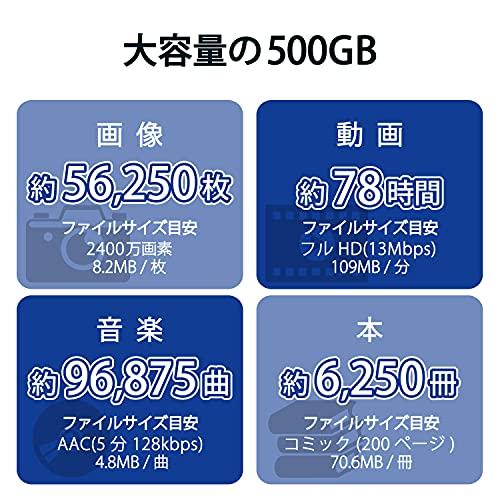
Capacity: 500GB
Data transfer speed: Read: up to 600MB/s, Write: up to 500MB/s. To use with USB 3.2 (Gen2), the device must support USB 3.2 (Gen2).
External dimensions: approximately 57.7mm x 20mm x 10.5mm (when the connector is stored)
Weight: approximately 11g (main unit)
Accessories: User manual
Color: Black
Warranty period: 1 year
Description
Reads at a maximum of 600MB/s and writes at a maximum of 500MB/s, achieving high-speed data transfer with USB 3.2 (Gen2). To use with USB 3.2 (Gen2), the device must support USB 3.2 (Gen2).
Weighing approximately 11g, with dimensions of 57.7mm width, 20mm depth, and 10.5mm height (when the connector is stored), it is an extremely small size that is convenient for portability and storage, comparable to a USB memory.
It is backward compatible with USB 3.1 (Gen2, Gen1), USB 3.0, and USB 2.0, and can be connected directly.
Connecting to PlayStation(R) 4, PlayStation(R) 4 Pro, or PlayStation(R) 5 and saving game data to the external SSD reduces game startup and save data load times, enabling more comfortable gameplay. When used with PlayStation(R) 5, it is only for PlayStation(R) 4 software play.
Connecting to PlayStation(R) 5 and saving game data to the external SSD allows you to free up internal storage space. It is not possible to boot PlayStation(R) 5 software from the external SSD.
When used with PlayStation(R) 4 or in the front port of PlayStation(R) 4 Pro, please prepare a separate extension cable.
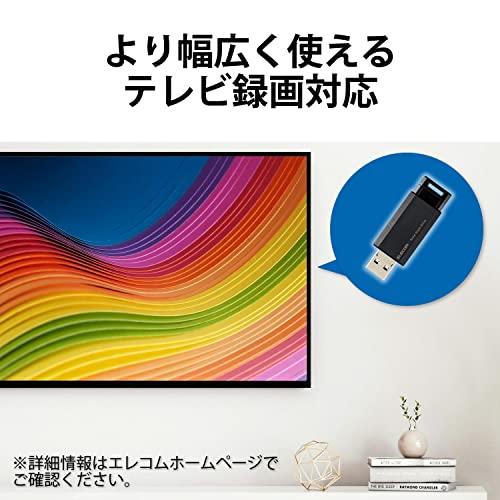
Connecting to devices such as TVs or recorders enables additional convenient functions such as program recording and simultaneous recording of two programs. (Details and compatibility depend on the TV's specifications)
It can be connected to TVs such as Sharp (AQUOS), Regza, Sony (BRAVIA), Panasonic (Viera), Hisense, etc. However, the TV must support USB-HDD recording.
Information on compatibility with newly released TV models is also updated on the web regularly, so you can check immediately via QR code and make a purchase.
Instead of recording data to magnetic disks through physical movement like a hard disk, data is recorded to flash memory via electrical operation, significantly reducing data access time and enabling high-speed data transfer.
Because there are no disk drive parts that are easily damaged by shocks or vibrations, it has high shock resistance and vibration resistance.
With no drive parts such as motors, there is no noise during writing, and power consumption is significantly lower compared to hard disks.
Capless and click-type design prevents the worry of losing a cap.
When the main unit is unplugged from the USB port, the USB part automatically retracts into the body.
Equipped with an operation confirmation LED lamp to indicate access status.
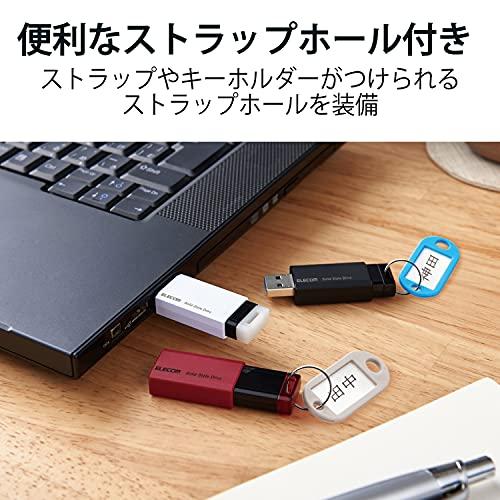
Features a strap hole for attaching your favorite strap. Strap is not included with this product.
By downloading from the ELECOM website, you can use security software "PASS (Password Authentication Security System)" with automatic password authentication function.
Once a password is set on a designated PC (up to 3 PCs), data can be protected without re-entering the password on subsequent uses.
When connected to an unregistered PC, it prompts for a password, preventing data leaks in case of theft or loss.
The warranty period is set to "1 year," so you can use it with confidence.
When used with Mac, formatting (initialization) on the device side is necessary.
This product meets at least one of our internal environment certification standards and displays the "THINK ECOLOGY" mark.
It is environmentally friendly, with packaging made only of paper, cardboard, and plastic bags.
Inquiries about the product
ELECOM General Information Center
TEL. 0570-084-465
FAX. 0570-050-012
Reception hours: 10:00~19:00, open year-round, manufacturer explanation
High-speed data transfer with USB 3.2 (Gen2) compatible external portable SSD
One-push easy connection with a single hand, with a click to eject and automatic storage, ultra-compact size like a USB memory, achieving maximum read speed of 590MB/s with USB 3.2 (Gen2). 1
1 The maximum transfer speed is based on our environment's actual measurement and is not guaranteed in all environments.
Realizes overwhelming smallness, convenient for portability and storage
Weighing approximately 11g, with dimensions of 57.7mm width, 20mm depth, and 10.5mm height (when the connector is stored), it is an ultra-small size that is convenient for carrying and storage, similar to a USB memory.
Click-type design that prevents the worry of losing the cap
Capless and click-type design prevents the worry of losing a cap.
Download the "PS5, PS4(R) External SSD/HDD Expansion Storage Setup Manual"
You can download the PDF setup manual for PS5 and PS4(R) external SSD/HDD expansion storage for this product. Even beginners can set it up with confidence.
Enables more comfortable gameplay
Connecting to PlayStation(R) 4, PlayStation(R) 4 Pro, or PlayStation(R) 5 and saving game data to the external SSD reduces game startup and save data load times, enabling more comfortable gameplay. Connecting to PlayStation(R) 5 and saving game data to the external SSD allows you to free up internal storage space. 2
1 When used with PlayStation(R) 5, only for PlayStation(R) 4 software play. 2 It is not possible to boot PlayStation(R) 5 software from the external SSD.
| Product # |
202403141856344549550211154 |