Special:B09HJYM4PZ
Code:4549292185478
Brand:Canon
Model: PIXUSTS8530RD
Product color: Red
Size information: Normal
Product weight: 7740
About this product
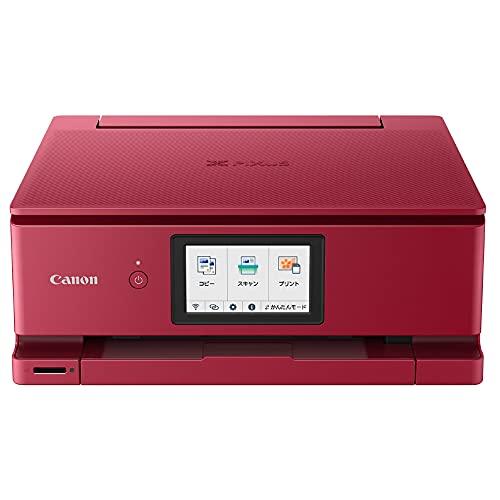
Prints photos and documents clearly. A high-spec model with abundant features.
Functions: Print, copy, scan
Maximum paper size: A4 / Color: 6-color hybrid
Paper feeding: Front cassette paper feed (100 sheets of A4 plain paper), rear paper tray (100 sheets of A4 plain paper)
Operation method: 4.3-inch touch panel, automatic power on/off, SD card direct, disc label print, automatic duplex printing, automatic paper width detection
> More about the Canon brand
Connectivity technology: Wi-Fi
Printing technology: Inkjet
Features: Network Ready, Auto Duplex
Color: Red
Model name: PIXUSTS8530RD
Printer output: Color
Maximum print speed (color): 10 pages/minute
Maximum print speed (mono): 15 pages/minute
Product weight: 7.74 kilograms
About this product
Prints photos and documents clearly. A high-spec model with abundant features.
Functions: Print, copy, scan
Maximum paper size: A4 / Color: 6-color hybrid
Paper feeding: Front cassette paper feed (100 sheets of A4 plain paper), rear paper tray (100 sheets of A4 plain paper)
Operation method: 4.3-inch touch panel, automatic power on/off, SD card direct, disc label print, automatic duplex printing, automatic paper width detection
> More
Shipping size: Height 45.8, Width 44.4, Depth 22.3
Shipping weight: 7740
Prints photos and documents clearly with pigment black and dye color 6-color hybrid ink. Equipped with a 4.3-inch touch panel, 2-way paper feeding, and abundant features, this high-spec model. Manufacturer's description
If you're unsure, choose this. Compact body with abundant features. A high-quality, high-spec model with enhanced Wi-Fi functionality.
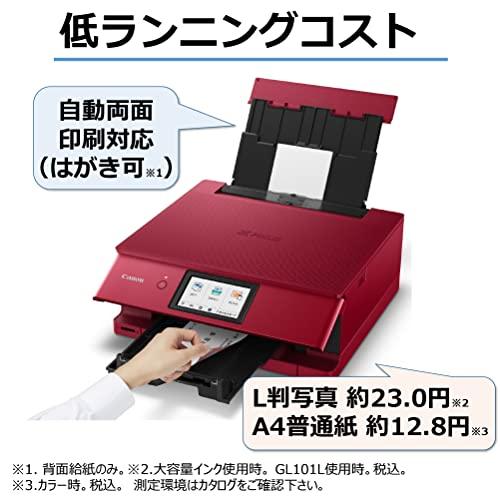
Economical with 'independent ink tanks' that can be replaced one color at a time and 'automatic duplex printing'
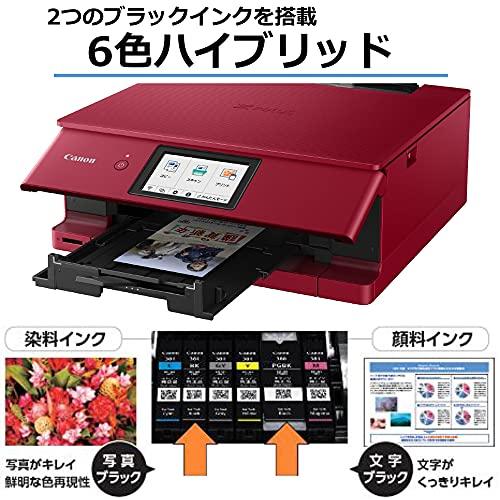
Vivid photos and sharp text with '6-color hybrid'
Equipped with 6 ink tanks of dye ink for photos and pigment ink for text. Black pigment ink has high density and contrast, making fine characters less prone to bleeding and clearly rendered. Ensures stable image reproduction across all gradations, achieving beautiful prints.
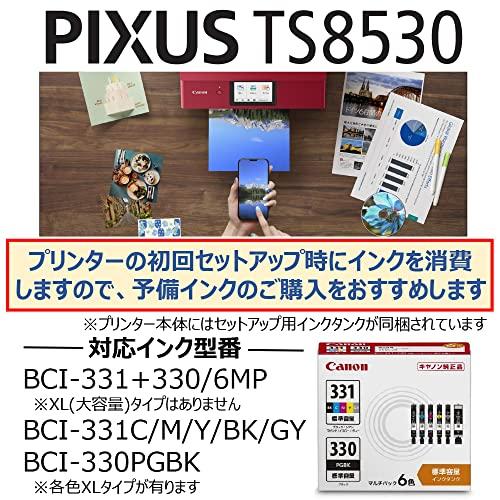
Additionally, the independent ink tank system allows each ink to be replaced one color at a time, making it economical. Ink levels are displayed on the computer screen, so you don't have to worry about sudden ink runs out.
Ink cost when using high-capacity ink
Automatic duplex printing that can print front and back of paper simultaneously
No need to manually flip paper, saving paper. Useful when printing web pages or large documents.
Selectable '2WAY paper feeding' for placement and use, and versatile printing
Detects paper size automatically when setting paper
When setting paper in both the cassette and rear tray, sensors detect the size and display the corresponding paper size on the setting screen. No need for manual operation, enabling quick printing.
Default size display for automatic setting
Cassette: A4, B5, A5
Rear tray: A4, B5, A5, 2L, postcard, L size, business card
Direct printing on label surface 'BD DVD CD label print'
Can directly print titles and images on label surfaces clearly. Printing titles or images on the label surface makes it easy to see what images or videos are stored, making organization more enjoyable. The process is simple: place the disc on the tray, insert into the guide, and the setup is complete. No complicated adjustments needed; PIXUS automatically adjusts the print position for accurate printing.
In some cases, printing on certain CDs, DVDs, or BDs may occasionally result in unevenness depending on the image. Copying copyrighted works without permission is prohibited by law unless for personal use within a limited scope.
User-friendly operation for anyone
Easy-to-see, easy-to-use, and responsive '4.3-inch touch panel'
Equipped with a movable 4.3-inch touch panel. The front can be freely adjusted for comfortable operation. The highly sensitive touch panel allows intuitive operation with a light touch.
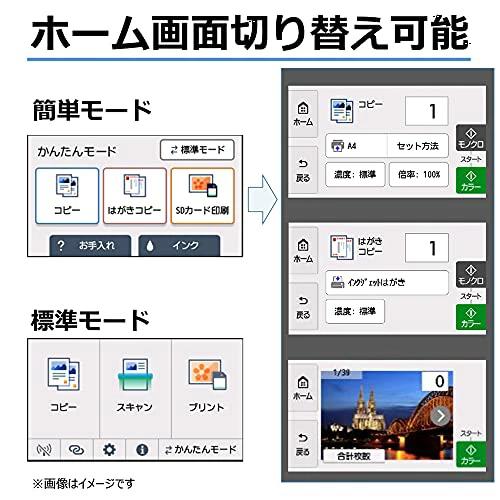
Home screen display can be switched
The home screen can be switched to a simple mode that allows easy access to basic functions in addition to the standard mode. In simple mode, you can easily perform basic functions such as copying to plain paper or postcards, and printing photos from memory cards, without detailed settings.
Use Wi-Fi for more convenience
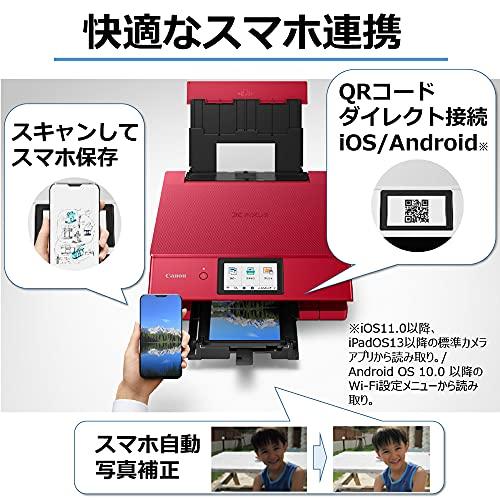
QR code direct connection and scan to save to smartphone
Displays a QR code for direct connection on the printer's LCD screen. Simply scanning it completes the connection setup without entering SSID or password.
You can also scan and save to your smartphone. After scanning, a QR code for downloading images uploaded to the cloud is displayed on the printer. When scanned with a smartphone, images or ODF are displayed in a browser.
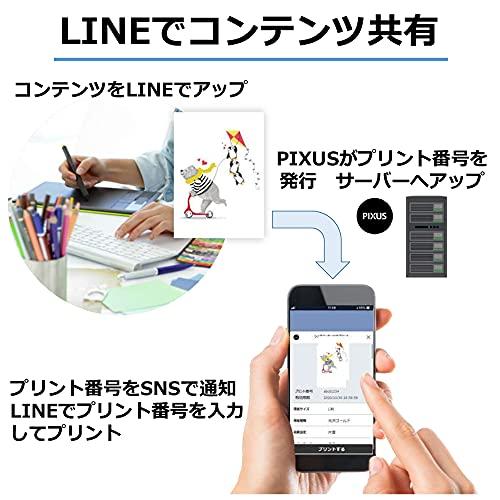
Make photo communication more fun. 'PIXUS Cloud Link'
PIXUS supports various cloud services including storage services and SNS. You can print directly from the PIXUS or use the free app 'Canon PRINT Inkjet/SELPHY' to print from smartphones or tablets. Make photo printing more enjoyable, deepen connections with people, and utilize information smartly. Would you like to enrich and make your smartphone life more convenient?
PIXUS lineup chart
PIXUS TS8530
Add to cart
PIXUS XK100
Add to cart
PIXUS TS7530
Add to cart
PIXUS TS5430
Add to cart
PIXUS TS3530
Add to cart
Customer reviews
4.3 out of 5 stars
564
4.3 out of 5 stars
484
4.2 out of 5 stars
1,059
4.1 out of 5 stars
2,503
3.9 out of 5 stars
2,032
Price
26,660
26,660
22,580
22,580
19,500
19,500
12,500
12,500
5,980
5,980
Features
Compact body with abundant functions. High-quality high-spec model for those seeking both performance and cost efficiency. High-spec document model, smartphone-friendly. Rounded casual design. Playful and friendly. Smartphone-friendly entry model. Easy Wi-Fi connectivity.
Ink
6-color independent BCI-330/331 series, 5-color independent XKI-N20/N21 series, 5-color independent BCI-300/331 series, integrated BC-360/361 series, BC-365/366 series
LCD monitor
4.3-inch TFT touch panel, 2.7-inch TFT touch panel, 1.44-inch OLED, 1.44-inch OLED, 1.5-inch
Paper feeding method
2WAY paper feeding: front cassette paper feed, rear paper feed, 2WAY paper feeding: front cassette paper feed, rear paper feed, 2WAY paper feeding: front cassette paper feed, rear paper feed, 2WAY paper feeding: front cassette paper feed, rear paper feed, rear paper feed
Automatic duplex printing
Inkjet gloss, not compatible with postal postcards, not compatible with postcards, not compatible with postcards, -
QR code direct connection
Not compatible with Android, not compatible with Android, -
Scan and save to smartphone
---
Scanner resolution Main scan, sub scan dpi
2400, 4800, 2400, 4800, 1200, 1200, 2400, 600, 1200
One-touch copy
- ---
Others
Disc label print, SD card direct print, disc label print, SD card direct print, ---
L size print speed when using GL101
About 16 seconds, about 16 seconds, about 16 seconds, about 36 seconds, about 52 seconds
Total ink and paper cost when using high-capacity ink for L size
Approximately 23.0 yen including tax, approximately 10.0 yen including tax, approximately 33.0 yen including tax, approximately 30.2 yen including tax, approximately 28.1 yen including tax
| Product # |
202506220359054549292185478 |